
How to reload Contract info in your BBC-PA Project:
A 3-step guide for licensees
Dear Licensee,
BBC’s Product Approval system has recently been updated to integrate with the new Mediabox-RM system. As a result of this change, contract information must be reloaded for all open projects created prior to Jan 11, 2026. Open projects are projects that are not in Completed or Cancelled folders.
This is a one-time update per project, and we won’t ask about it again.
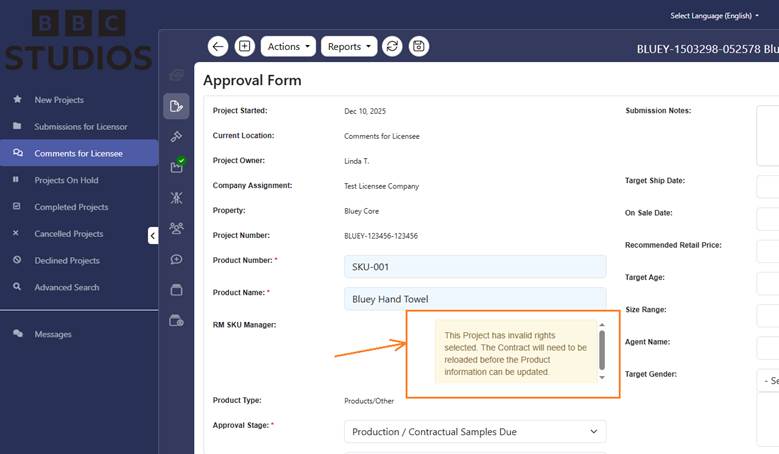
Step 1: Go to Project Details and click the Approval Form tab. If you see text like in the orange box, this indicates that contract needs to be reloaded.
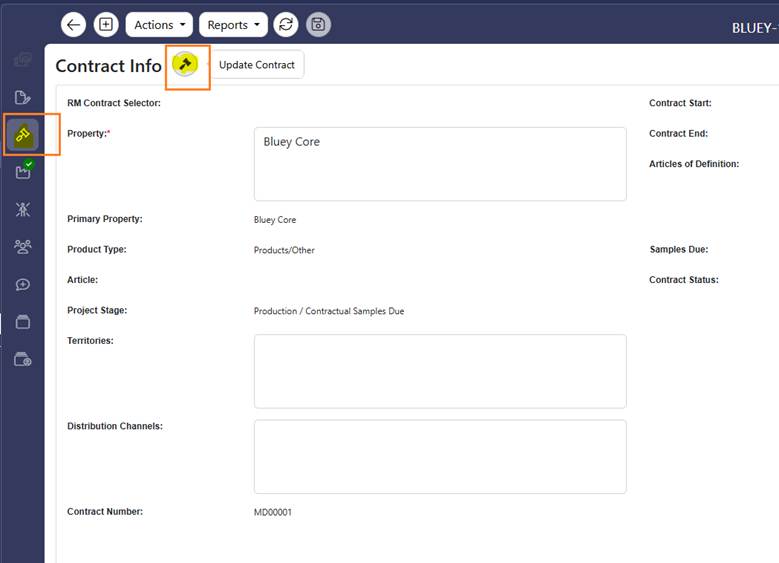
Step 2: Go to the Contract Info tab and click the Update Contract button. This will activate the fields required to select RM contract data.
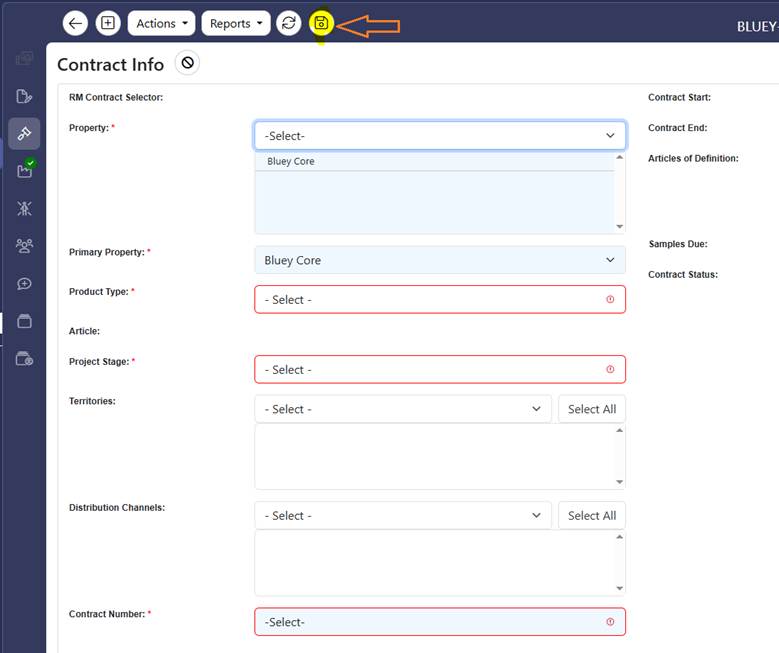
Step 3: Select the Property, Product type and Article that best describe your product. You will also need to select the current approval stage and the contract number. Once finished, click Save. Note that the contract number coming from the new system remains the same as before. This is because we changed the system, but not your contract.
This is it! Your project is now linked to the RM contract, ensuring that the approval workflow continues to run smoothly. Thank you for your cooperation and for assisting the approval team with this transition.