
Adding a team member to a project gives that person access to the project. Licensee Team members are typically added when a project is first created, but can be added at any time during the approval process. Licensee Team members must be assigned to the same Licensee Company.
To add a Licensee Team
- In the Project List pane, select all projects on that page, or select multiple projects.
- Select actions Add Licensee Users
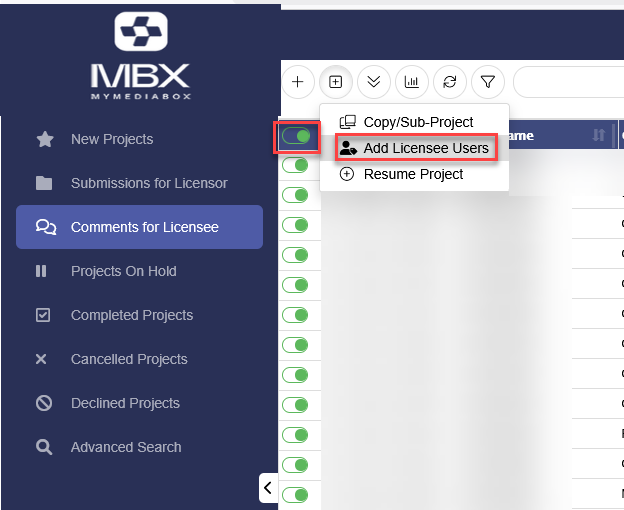
3. Select Users from list
4. Select Add
Keep in mind this will need to be done for any existing projects, and going forward when anyone from the team creates a new project.